
Posted on January 31, 2026
If you feel like you’ve hit a plateau with GitHub Copilot or standard LLM chat interfaces, you are not alone. The developer community is currently buzzing about a new power couple that is reshaping how we ship software: Opencode combined with the plugin framework Oh My OpenCode.
It is being hailed as the “next leap in productivity,” transforming the AI from a simple autocomplete assistant into a full-fledged development squad.

In this post, I’ll break down the latest news from January 2026, why this combo is superior to single-model tools, and how you can set it up in under 5 minutes.
🚀 What’s New? (Jan 2026 Update)
Things move fast in the AI space. If you haven’t checked on Opencode lately, here is what you missed:
1. Opencode Black & The “BYOK” Philosophy
The team recently launched Opencode Black, a premium tier for enterprise users. However, the open-source version remains incredibly robust. The core philosophy is still “Bring Your Own Key” (BYOK). You aren’t locked into one provider; you can plug in Claude 3.5 Sonnet, GPT-5.2, or even local models via Ollama.
2. Oh My OpenCode v3.0: Enter “Ultrawork”
The plugin framework oh-my-opencode just hit version 3.0 stable, introducing a game-changer feature called Ultrawork.
- What is it? It is a “set it and forget it” mode.
- How it works: instead of babysitting the AI through every file change, you give it a high-level goal. The system breaks it down, runs tests in the background, fixes its own errors, and only pings you when the feature is done.
💡 Why This Combo Wins: The “Team” Advantage
The main problem with standard AI coding tools is that they try to be a “Jack of all trades.” They use the same model to write complex logic, fix CSS, and read documentation.
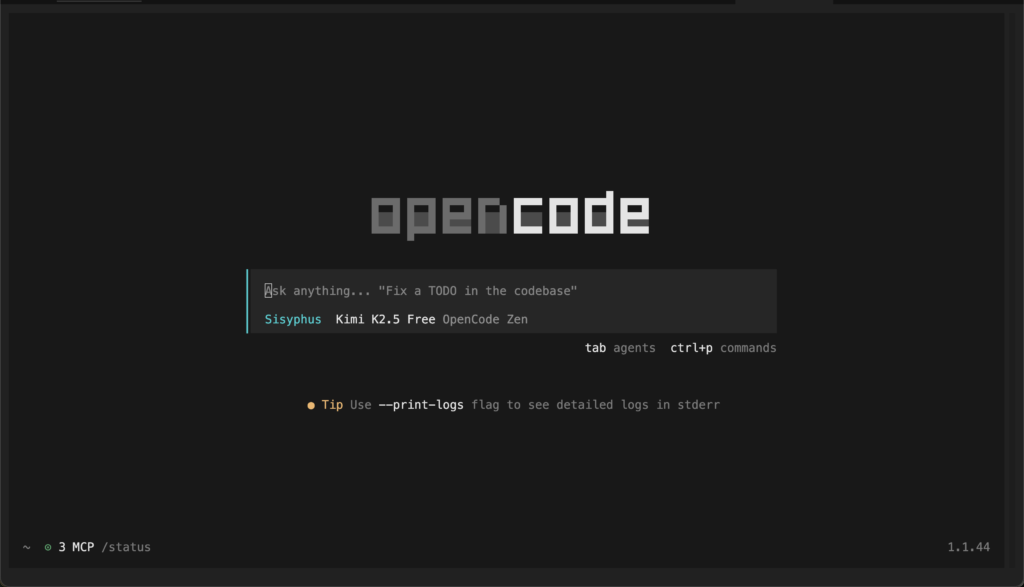
Oh My OpenCode solves this via Model Orchestration. It turns a single terminal into a team of specialized agents:
1. The Specialist Roles
- The Oracle: Uses high-reasoning models (like Claude Opus 4.5 or GPT-5) for architecture and complex refactoring.
- The Librarian: Uses models with massive context windows (like Gemini 3 Pro) to read your entire documentation folder and search your codebase.
- The Builder: Uses fast, cheaper models to write boilerplate code.
2. Async Sub-Agents
When you ask for a feature, Opencode doesn’t just write linearly. It spawns sub-agents. One might be writing the GraphQL schema while another is simultaneously building the React components.
3. Context Intelligence
It manages your token budget like a pro. It knows exactly which files to feed into the context window so the AI doesn’t “forget” what it wrote 5 minutes ago—a common issue with standard web chats.
🛠️ How to Install & Use
Ready to try it? You will need Node.js or Bun installed.
Step 1: Install Opencode (The Core)
First, get the base terminal tool installed on your machine.
# Install via npm
npm install -g opencode-ai

# Or via curl for Mac/Linux
curl -fsSL https://opencode.ai/install | bash
Step 2: Install Oh My OpenCode (The Brains)
This is the magic step. Use the interactive installer to set up your agents automatically.
# Recommended: Use bunx for speed
bunx oh-my-opencode install
During installation, the CLI will interview you:
- Do you have a Claude Subscription?
- Do you have an OpenAI Key?
- Do you utilize GitHub Copilot?
Pro Tip: Answer honestly! The tool generates a config.json that optimizes your costs, routing easy tasks to cheaper models and hard tasks to the smart ones.
⚡ Workflow: Using “Ultrawork”
Once installed, navigate to your project folder and type opencode.

The “Ultrawork” Command
This is the v3.0 killer feature. In the chat input, append ulw to your prompt.
Example Prompt:
“Read the README, check the current database schema, and scaffold a user profile API endpoint with authentication. ulw“
What happens next:
- Planning: The AI analyzes the request and creates a checklist.
- Execution: It starts writing code, running your linter, and checking for errors.
- Completion: It presents you with a finished diff.
Manual Expert Summoning
Need specific help? Use the @ mentions:
- @oracle: “How should I structure the database for high scalability?” (Uses your smartest model).
- @librarian: “Where is the user validation logic located in this repo?” (Searches context).
Conclusion
The combination of Opencode and Oh My OpenCode moves us away from “AI-assisted coding” toward “AI-managed development.”
If you are a full-stack developer tired of context-switching, this toolchain allows you to act more like a Technical Lead while the agents handle the implementation details.
Leave a Comment